
MarkMeng · Local-first document workbench
Your Documents Stay Yours
Let Agents Do the Editing
The .md file on disk is the single source of truth: switch between three views, annotate line by line, and keep one Git history per document. Agents claim tasks over a loopback channel and edit the original file. Nothing leaves your own device.
v0.19.6 · 16.2 MB · Windows 10 / 11 x64 · MIT licensed · No account required
Know the Numbers
Before You Install
16.2 MB
.md is the single source of truth
0 sent to us
MIT licence
An editor
with an editing crew
It turns "you annotate, agents revise" into a traceable pipeline.
Edit / Preview / Source
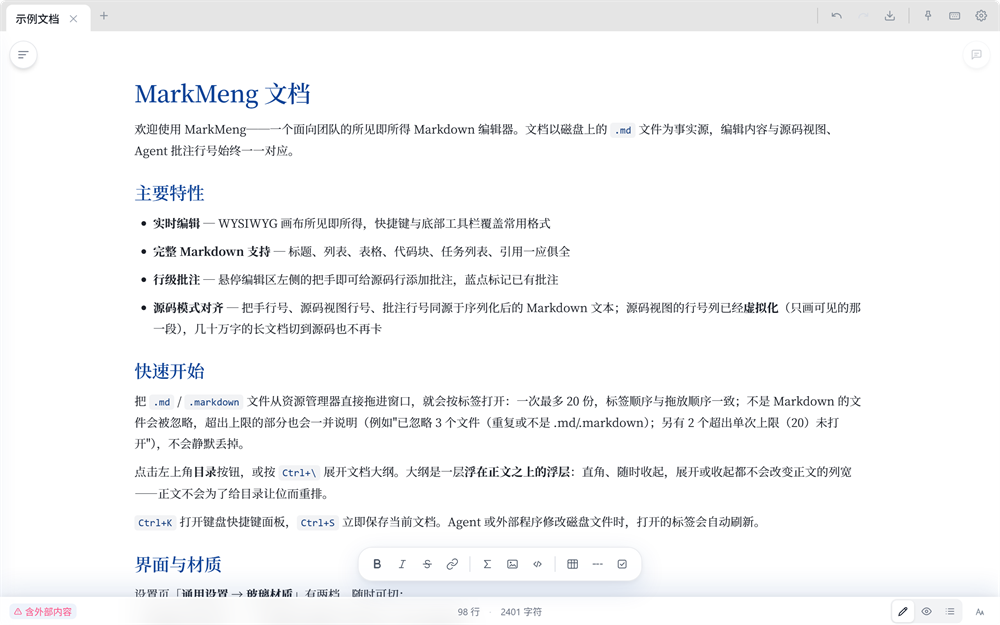
A true WYSIWYG editor, a clean reading view, and raw source editing. Switch freely, with caret and reading position anchored by line so nothing drifts.
Annotations become tasks
Leave an annotation and it is written to <document>#.md next to the file. An agent claims the task and edits the original, with the annotation kept for review.
A Git history per document
Every document carries its own history. Inspect diffs and roll back to any commit. A bad edit, human or agent, is one step away from undone.
Local-first · data sovereignty
Documents live on your own disk. Sync across devices goes over your LAN or your own endpoint. Content never passes through our servers.
Rich content, still Markdown
Drop in images, audio and video. Formulas, Mermaid diagrams and tables render natively. The file stays plain Markdown that any editor can open.
Desktop-grade details
Frameless window with custom controls, multiple tabs, progressive rendering for very long documents, and debounced saving for large files.
You point it out
It does the edit
MarkMeng listens on a loopback channel and only accepts agents holding a bound token. Annotations carry line-number semantics, edits land in the original file, and every change goes into Git history.
The channel binds to the loopback interface only and exposes no port, so nothing on the network can reach in. Without an agent, everything still works fully offline.
Download
for Windows
Installers are hosted on Gitee Releases; uninstalling leaves your documents untouched.
MarkMeng v0.19.6
Release build · published 2026-10-12 · Windows 10 / 11 x64 · no third-party SDKs or ad libraries bundled.
AA53B47B24F3717CDBA3B8C531984E7712C1FDDFABB78AB89DC4A9F9649A1F0E
- File name
- MarkMeng_0.19.6_x64-setup.exe
- Size
- 16.23 MB
- System
- Windows 10 / 11 (x64)
- Updates
- In-app update · Ed25519 signature check
- License
- MIT
- Source
- gitee.com/wowbluestudio/MarkMeng
Two steps
-
Download the installer
Use the button above to get
MarkMeng_0.19.6_x64-setup.exe(about 16 MB). A "this type of file may be harmful" warning is the usual notice for installers from an unsigned channel. -
Install and open
Run the wizard to finish installing. You can then double-click any
.mdfile to open it, or drag files into the window.
Verify your download
Check the SHA-256 in PowerShell. If it matches the value above, the file was neither tampered with nor truncated.
# Windows (PowerShell)
Get-FileHash .\MarkMeng_0.19.6_x64-setup.exe -Algorithm SHA256
In-app updates are signature-checked the same way: the package is signed with an Ed25519 key and verified against the public key embedded in the client before it installs.
A few
common questions
In the .md files on your own disk (the default library is %LOCALAPPDATA%\MarkMeng\documents, and you can open documents anywhere). There is no cloud copy.
Writing, annotations and version history all work offline. Only "check for updates" and your sync endpoint use the network.
Windows (x64) today. macOS and Linux share the same Tauri shell and can be provided as needed; the Android version is in development.
Check in-app, download, and the package is verified with an Ed25519 signature before installing. No manual reinstalling every time.
Document as truth, annotation as task, and a per-document Git history. Edits land in the original file and stay traceable, rather than generating new text in another chat box.
MIT licensed, with the source hosted on Gitee. PRs and issues are welcome.
Your Documents Stay Yours
Agents Alongside
16.2 MB, no account required. Keep your documents on your own disk.